System editing
System merge
In the Audiveris GRID step, detected staves are gathered into systems, based on barlines found on the left side of the staves.
In a poor quality score image, many black pixels may have disappeared, sometimes leading to broken barlines.
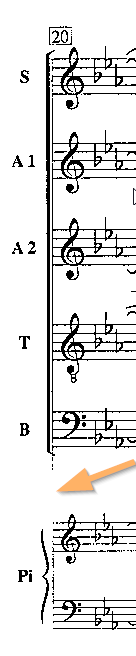
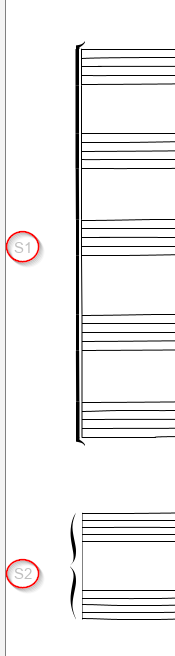
In the example image below, the leading left barline has been damaged, resulting in a wrong detection of systems by the OMR engine.
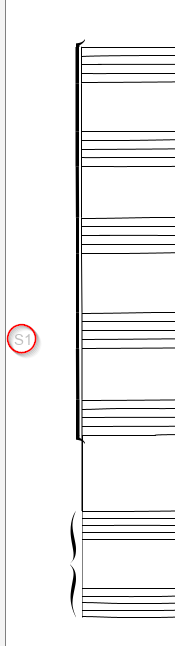
| Left barline broken | Resulting grid before fix | Resulting grid after fix |
|---|---|---|
 |  |  |
Since the 5.2 release, we can manually fix this problem.
We point at the upper system portion, and via the right-click ≡ System N° menu we select “Merge with system below”.
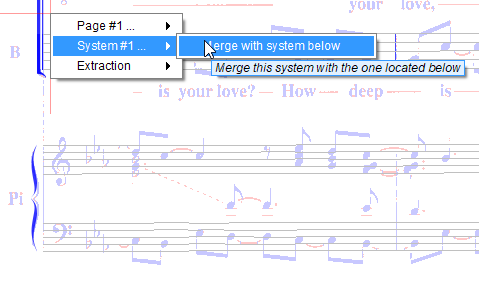
This is a key operation, so we need to confirm the detailed prompt:
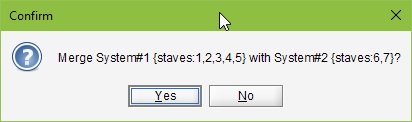
And it’s done: a connector was created between the two barline portions and the two system portions merged.
We can still undo/redo the operation.
Movement start
Audiveris automatically detects movement (score) boundaries by looking at system indentation — an indented first system signals the start of a new movement. This detection is controlled by the “Use of system indentation” processing switch in Book Parameters.
However, in some cases (exercise books, anthologies, hymnals), multiple pieces share the same page without any visual indentation between them. In these situations, the automatic detection cannot identify the movement boundaries.
You can manually mark any system as a movement start. Point at the desired system, and via the right-click ≡ System N° menu select “Mark as movement start”.
If the system is already marked as a movement start, the menu will show “Unmark as movement start” instead, allowing you to remove the boundary.
After toggling, pages and scores are automatically rebuilt. The book export will then produce separate MusicXML files for each movement.
This operation supports undo/redo.